How to Create Games in Roblox
Start creating now in Roblox Studio and bring your first game to life. It's easier than you think!
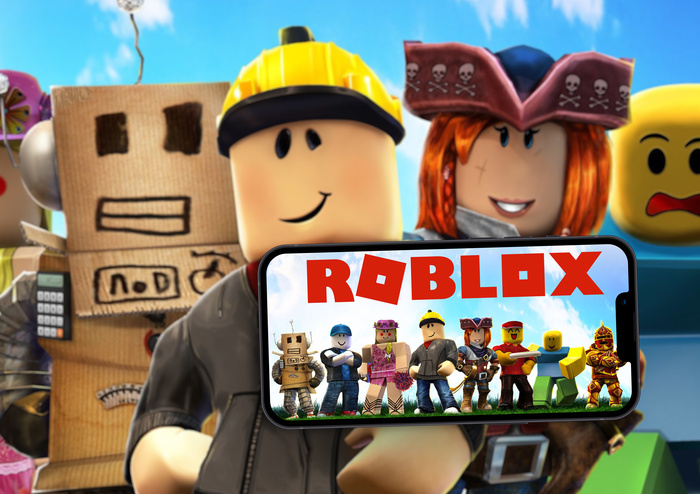
The gaming universe awaits you. Source: Adobe Stock How to create games in Roblox is a question that arouses the curiosity of millions of people around the world, especially those who have always dreamed of turning ideas into interactive experiences.
After all, it’s not just about playing, it’s about taking on the role of creator, bringing to life completely original worlds, characters, and stories. The best part is that you don’t need to be a programming expert or have advanced design knowledge.
In this article, you’ll discover the step-by-step process for getting started as a developer on the platform. From creating an account to publishing your first game, each step will be explained in a clear, practical, and inspiring way.
If you have creativity, curiosity, and a desire to learn, now is the perfect time to start.
Why create a game on Roblox?
Roblox is one of the largest game creation platforms in the world. Millions of people access user-created games every day.
And the most impressive thing is that many of these games were developed by beginners, curious young people, and independent creators who started out exactly like you are starting out now.
Additionally, Roblox encourages creativity in a playful and intuitive way. Instead of learning to program on a black screen full of code, you interact with objects, drag elements, build scenarios, and gradually begin to understand how the game’s logic works.
Another great attraction is the possibility to publish your games worldwide. With just a few clicks, your project can be available to millions of players. Not to mention the chance to monetize your creations and even start earning money from them.
Step 1: Configuring the replication base
First, create an account on the official Roblox website. This process is quick and free. Choose a creative but memorable username - this will be your developer name within the community.
Then, download and install Roblox Studio, the official game development tool. It is compatible with Windows and Mac systems and does not require powerful computers to run.
You will be redirected to another website.
When you first open Roblox Studio, you’ll see a space with several windows and menus. Don’t be alarmed: over time, it will all make sense.
The most important thing is to familiarize yourself with the main panels, such as the “Explorer”, where you organize your game elements, and the “Toolbox”, where you can find ready-to-use templates.
Step 2: Creating Your First Game — Step by Step
With the foundation in place, it's time to get started. Creating your first game can seem daunting, but breaking the process down into steps makes it easier.
-
Choose the game type Think about what kind of experience you want to create. It could be an obstacle course, a survival game, an open-world adventure, or even a simulator. Start with something simple that you can fully develop, even if it’s not perfect.
-
Use a starter template In Roblox Studio, you can choose from several pre-built templates. These help you get started with a functional foundation. For beginners, we highly recommend using a simple template like “Baseplate” or “Obby.”
This way, you can focus on creativity without worrying about the technical aspects right from the start.
-
Set the scene With the environment open, you can start building. Add blocks, platforms, stairs, trees, houses, lighting effects, and anything else you can imagine. It’s all done through clicks, drags, and visual adjustments. The logic is similar to playing with building blocks - only in a digital universe.
-
Create simple interactions The key to a game’s uniqueness lies in its interactivity. In Roblox, you can add behaviors to objects using scripts - small pieces of code that define actions.
The language used is Lua, known for its simplicity and ease of use. For example, you can make a door open automatically when the player approaches, or create a button that activates a sound effect.
Even without knowing how to program, you can start with predefined scripts and, over time, adapt them and understand how they work.
-
Test and adjust Playing your own game is one of the most fun parts. Click “Play” to test it right in Roblox Studio. Make sure everything works as expected. If something doesn’t work, you can adjust and test again. The creative process is all about trial, error, and continuous improvement.
-
Publish your creation Once you’re happy with the result, it’s time to publish. Simply click “Publish to Roblox” and follow the instructions. You’ll be able to choose a name for your game, add a description, and set whether it’s public or private.
By publishing, you officially become a creator on the platform. You can share the link with friends and family or even in communities for others to test it and provide feedback.
How to make your game unforgettable
Creating a functional game is already a major achievement. But if you want it to be remembered and played by many people, it's important to consider the details that delight.
Take care of your appearance. A beautiful game attracts attention. Use harmonious colors, coherent visual elements, and effects that enhance the setting. There’s no need to overdo it - the important thing is to have a clean, pleasant, and well-constructed look.
Invest in gameplay Intuitive controls, clear objectives, and well-distributed rewards keep the player engaged. Avoid confusing obstacles or long waits. Keep the game’s pace fluid and challenging.
Create something with a purpose It could be a mission, a story, or a unique universe. Games that have an identity and purpose tend to be more engaging. Think about how you want the player to feel when playing your creation.
Add sound effects and music Sound is an essential part of the experience. A click, an alert, background music - all contribute to immersion. Choose tracks that fit your gameplay style and use sounds strategically.
Learn from the community The best way to grow as a creator is by learning from others. Luckily, Roblox has an active and collaborative community.
There are social media groups, forums, video channels, and even online events aimed at creators.
Participating in these communities helps you answer questions, share experiences, and discover new possibilities within the platform.
Many creators share tips, codes, ideas, and even challenges to inspire beginners.
Monetizing your creations If your game starts to attract players, you might want to consider monetizing it. On Roblox, there are several ways to generate Robux - the platform’s virtual currency.
You can create paid passes, offer exclusive in-game items or features, or earn rewards based on the time users spend playing.
With time and dedication, you can even convert Robux into real money if you meet the platform’s requirements.
This turns the hobby of creating games into a tangible income opportunity — something increasingly common among active Roblox creators.
Conclusion: The world you imagined can now be real
Now that you know how to create games in Roblox, it's time to turn this new skill into something even greater. The experience of developing your own game is exciting, educational, and, above all, rewarding.
You’ve stepped out of the role of player and into the role of creator - and that’s already a huge step towards incredible possibilities. But it doesn’t have to stop there.
If you’ve enjoyed the journey so far, you’ll be surprised by what’s next. Did you know it’s possible? Make money from the games you create on Roblox ?
Yes, your ideas can turn into a real source of income — and the following article will show you exactly how.
Related in Gaming
Roblox BedWars: 2024 Pro Rushing Techniques
Master the art of bed defense and rapid rushing to dominate your matches.
How to Create Games in Roblox
Learn step by step how to create your own game on Roblox and publish it for millions of players. Simple, fun and free!
Adopt Me! Trading Tier List: May 2024 Update
Know the true value of your legendary pets before you hit the trading hub.